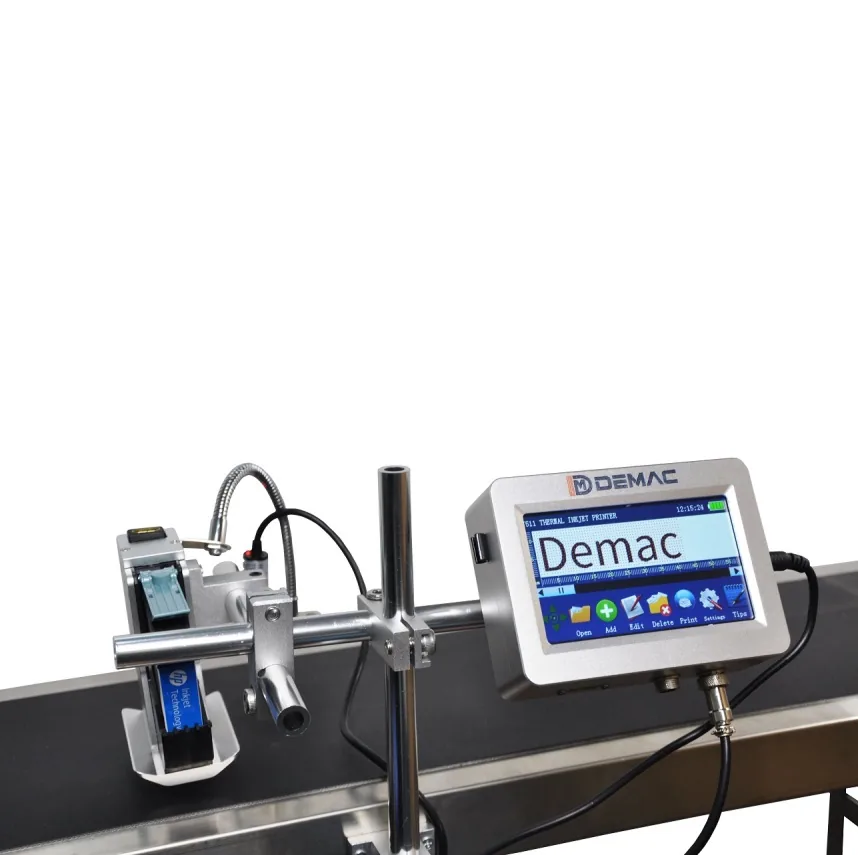
Lot number printers for packaging traceability
Print lot numbers and traceability codes consistently across labels, cartons, bottles, films, bags and pouches.
Application guidance for lot code printing.
How to specify this coding application
Lot number printing helps connect each pack to production, material and quality records. The printer has to suit the amount of data required and the way products move through the line. Short lot marks may be simple, while longer traceability strings, QR codes and serialised codes require more flexible digital printing.
- Lot code, batch number and serial data printing
- Barcode and QR code options for machine-readable traceability
- Automatic incrementing and variable data control
- Print position repeatability on moving packs
- Compatibility with label, bottle, carton and film surfaces
- Operator controls to reduce manual entry errors
Recommended coding routes
Use these routes as a starting point before confirming samples, speed, substrate and integration details.
Short batch and lot marks
Hot foil can be a practical route for short repeatable codes on compatible intermittent machines.
Variable lot data
Thermal inkjet is useful when lot numbers change frequently or need barcodes, QR codes and additional product data.
Film traceability
TTO supports high-quality lot numbers and machine-readable codes on flexible films and pouches.
Related coding machinery pages
These pages help connect the application to the most suitable coding technology and support route.
Lot code printing FAQs
Is a lot number the same as a batch number?
In many packaging projects the terms are used closely, but the exact data format depends on the manufacturer and traceability system.
Can a printer automatically increment lot or serial codes?
Thermal inkjet and TTO systems can support automatic serial and variable data options depending on the controller and setup.
Can lot numbers be printed with QR codes?
Yes. Digital systems can often print text and machine-readable codes together when the print area is large enough.
Which pack types can be lot coded?
Labels, cartons, bottles, flexible films, bags and pouches can all be coded when the correct printer and consumable are chosen.
Need help with lot code printing?
Send your material, speed, code size and example data so Lancing can recommend the right coding route.
Agree the lot-code rules before building a printer job
Provide a written example of the lot format with each field explained. Distinguish fixed text from production references, dates, counters or line identifiers. State where the authoritative value comes from and who approves a change so the printer configuration reflects the production record.
Review boundary conditions such as a batch continuing after a pause or a job spanning a date change. Do not assume that an automatic counter or clock should decide when the lot changes. Keep the intended business rule separate from the printer feature used to implement it.
- Data example
- Include normal, longest and changed lot messages in the sample-print brief.
- Approval step
- Define the check linking the first coded pack to the correct batch record.
Should every pack have a unique lot number?
The required relationship depends on the producer’s traceability system. Define lot, batch and any serial fields explicitly before configuring the message.