Thermal inkjet coder for online variable data printing
Inkjet coder

Thermal inkjet coder for online variable data printing

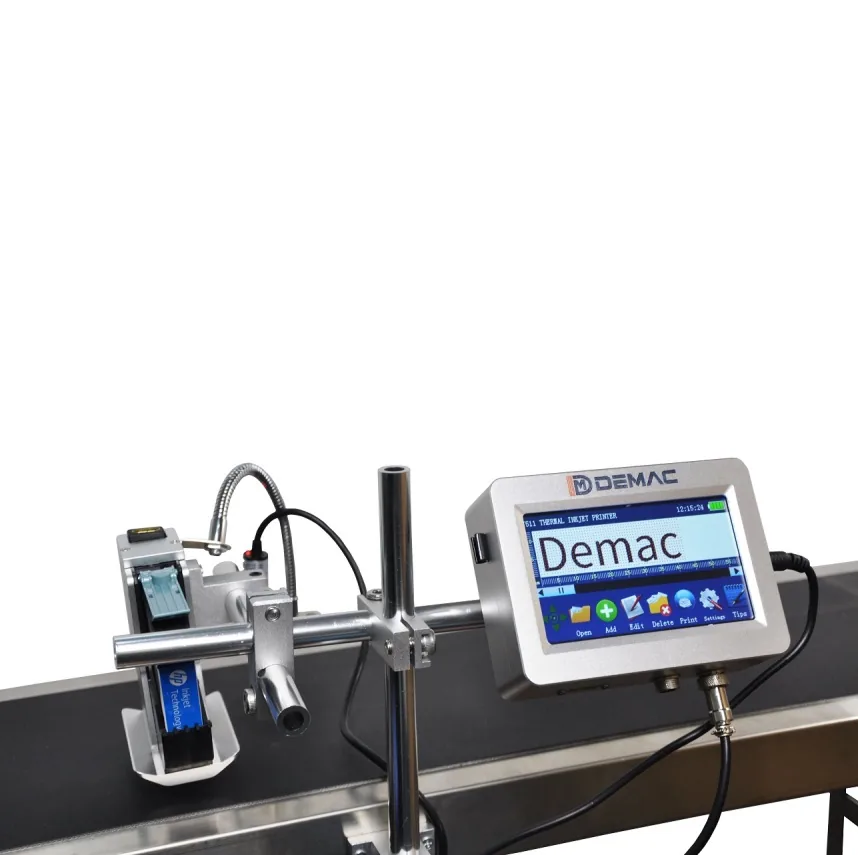
A reliable online thermal inkjet printer for date, logo, barcode, batch lot, QR code and serial marking on packaging lines.

Thermal inkjet printer system on a packaging line

Thermal inkjet coding is suited to flexible online variable data printing.

Simple online coding with improved print quality

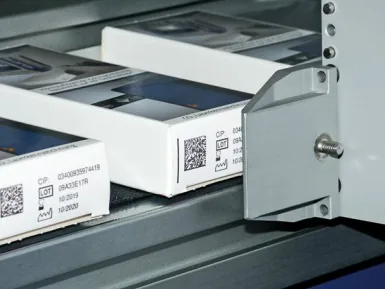
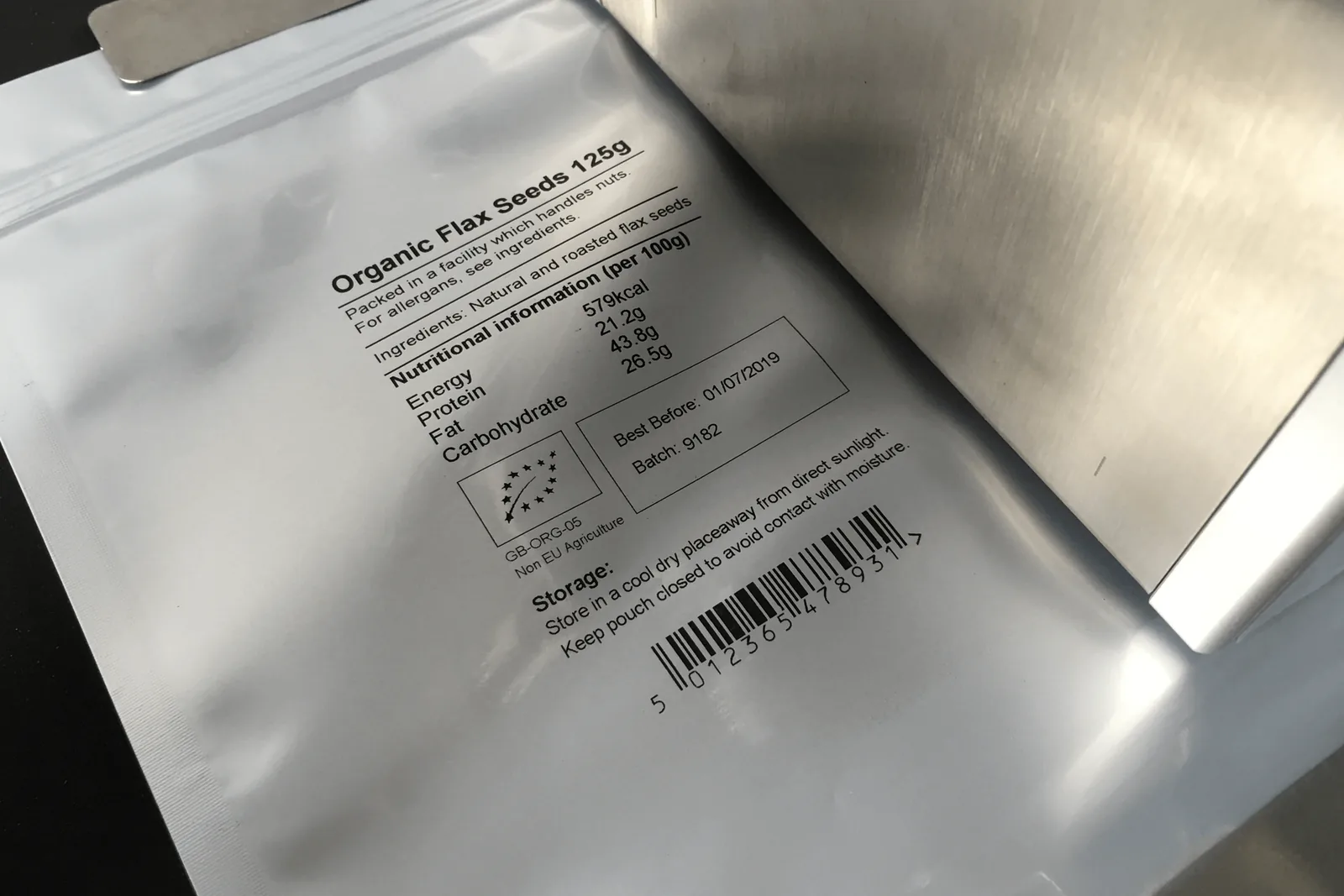
Thermal inkjet offers better print quality than hot foil and can print richer variable data, including barcodes and graphics, directly onto suitable packaging surfaces.

  • Separated design with embedded operation system.
  • USB flash disk database and external real-time data printing support.
  • Automatic date, time, batch number, serial number and code printing.
  • Designed as a reliable and cost-effective online coding machine.

Thermal inkjet coder specifications

Useful first-stage specification data for the J511 online thermal inkjet printer.

Printing accuracy600 DPI
Printing lines1-8 lines, adjustable
Printing height1.0mm-12.7mm
Automatic printDate, time, batch number, serial and other variable data
Message length2000 characters for each message; no stated limitation on overall length
Printing speed70 m/min
Ink typeQuick-dry eco ink, water-based ink and oil-based ink
Ink volume42ml, typically around 800,000 characters
PowerAV100-240V, DC16.8V/2A
Working environmentTemperature 0-45°C; humidity 40%-60%

Good for direct coding

Thermal inkjet suits projects that need more than a basic date code, but do not require the full film-focused capability of a thermal transfer overprinter.

Information to send

Provide substrate, required mark height, number of print lines, line speed, code position and whether you need dates, logos, barcodes or QR codes.

Thermal inkjet coder FAQs

What does the J511 thermal inkjet printer print?

It can automatically print real-time date, logo, barcode, batch lot, QR code, time, serial and other variable information.

What is the print accuracy?

The thermal inkjet printer option lists 600 DPI print accuracy.

What inks can it use?

The specification lists quick-dry eco ink, water-based ink and oil-based ink options.

Engineering a J511 thermal inkjet application

The verified specification defines the printer’s available capability. The production result still depends on the ink, substrate, print distance, product control, trigger and complete message.

The J511 data states 600 DPI resolution, an adjustable one-to-eight-line layout and a 1.0–12.7 mm print height. Those figures describe the available print engine, not an automatic guarantee that every barcode or small character will scan on every material. Contrast, drop placement, surface finish, line speed and code size must be approved together.

The listed speed is 70 m/min. Practical output depends on the host conveyor or machine, the length and density of the message, product spacing and whether the pack passes the printhead at a stable speed. A sensor triggers the message at the correct product position; where conveyor speed varies, the integration may need an encoder or other speed-following arrangement, subject to the final configuration.

Ink choice is part of the application. The supplied options include quick-dry eco ink, water-based ink and oil-based ink. Porous cartons and paper can accept ink differently from coated labels, plastics, glass or metal. The exact ink must be tested on the production surface, including any mould-release agent, oil, condensation or dust that is present in normal running.

The source data lists USB flash-disk database support and external real-time data printing. Before connecting a database, PLC, ERP or MES, define the field names, data format, update timing, job-selection responsibility and behaviour after a lost connection. A printer capable of accepting external data still needs a controlled workflow that prevents the wrong message being printed.

Printhead position should be rigid and adjustable, with the pack constrained so the distance and angle remain consistent. Curved bottles, unstable pouches or products that wander on a conveyor can create position and focus problems even when the printer itself is operating correctly. Product guides, side belts or a more suitable coding location may be needed.

Maintenance planning should cover cartridge storage, nozzle or printhead care, safe cleaning materials, replacement intervals and how operators confirm the print after a cartridge change. The 42 ml cartridge is listed as typically printing around 800,000 characters, but actual yield changes with character height, density, resolution and message content, so consumption should be measured using the approved job.
Verified J511 data translated into application checks

Use each specification as a boundary to test, rather than as a stand-alone performance promise.

Verified itemPublished valueApplication check
Resolution600 DPIApprove the actual text, barcode or 2D code on the real substrate at production speed.
Layout1–8 lines; 1.0–12.7 mm print heightConfirm the complete message fits the available area and remains readable after handling.
Message capacity2,000 characters per messageTest the largest expected job and any variable fields rather than a short sample message.
Listed speed70 m/minValidate with real product pitch, trigger, conveyor stability and message density.
Ink optionsQuick-dry eco, water-based and oil-basedSelect by substrate and required resistance; do not assume one ink fits every surface.
Environment0–45°C; 40–60% humidityCheck the coding area remains within the stated range and consider local heat, cold or condensation.
Data handlingUSB flash database and external real-time data supportDefine the interface, field mapping, message ownership and failure response for the final installation.

Approve ink and substrate together

The video and sample images are useful for discussing the coding route, but final approval should record the exact ink, material, message, speed and handling exposure.

  • Clean and condition samples in the same way as production packs.
  • Test at normal and maximum expected speed with the complete message.
  • Check the code after the real drying time and downstream contact.
  • Scan every required barcode or 2D code using the agreed device or verifier.
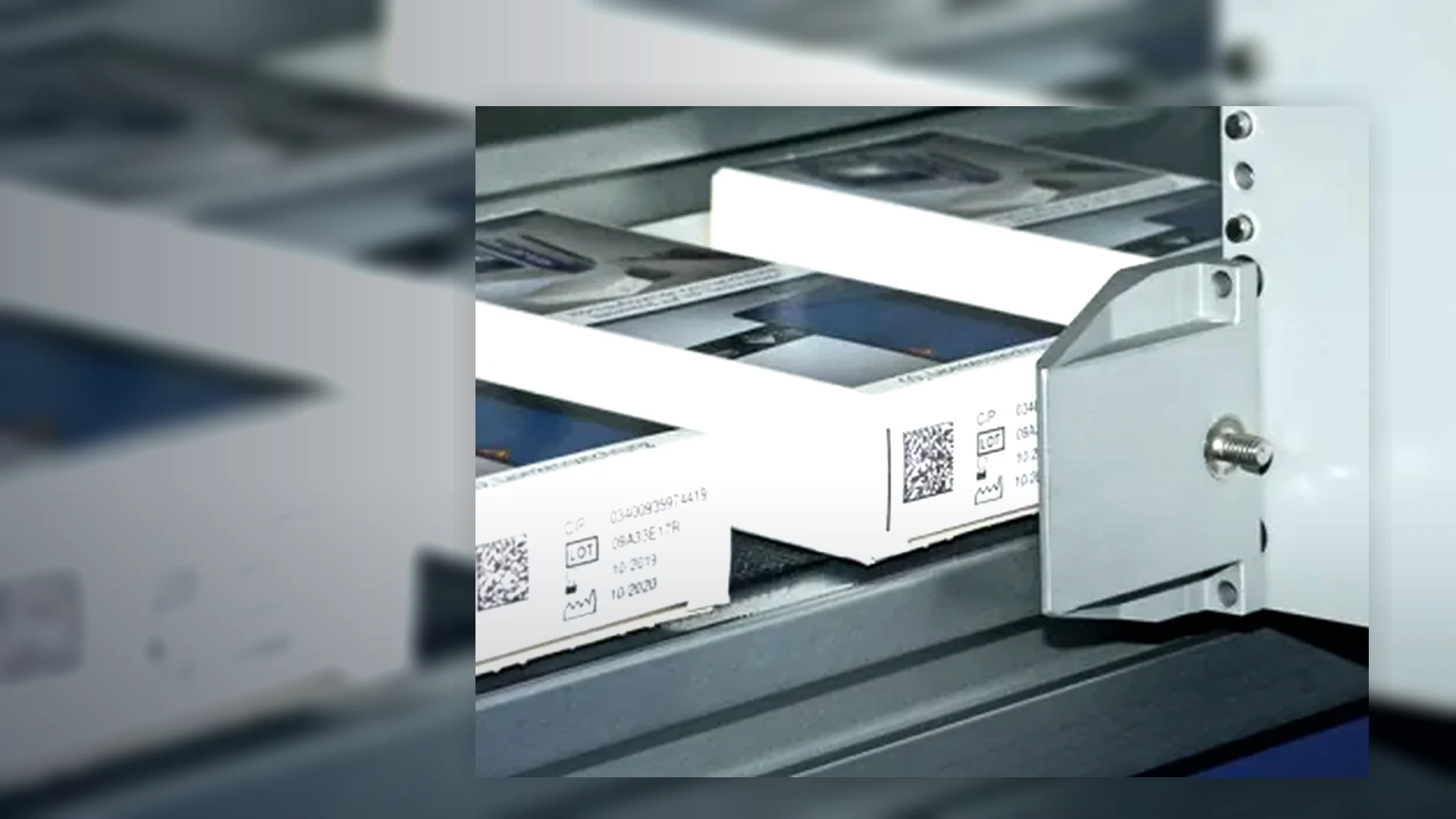
J511-style thermal inkjet controller and printhead for online packaging codingThermal inkjet date and batch codes printed onto cartonsHigh-density variable print sample with barcode and product data

Thermal inkjet quotation and trial inputs

Supply enough information to select ink, mounting and data handling as well as the controller.

Pack and surface

Material name, supplier reference, colour, coating, curvature, cleanliness, print location and a representative sample.

Message and verification

Full artwork, smallest character, print height, number of lines, barcode or 2D type, scanner and acceptance requirement.

Line and data

Speed, product pitch, motion stability, trigger position, available mounting, job source and any external data or PLC interface.

Further thermal inkjet questions

Will the same thermal inkjet ink work on paper and plastic?

Not necessarily. Porous and non-porous surfaces behave differently, and coatings, contamination and colour affect adhesion and contrast. The exact ink and production substrate should be tested together.

Does 600 DPI guarantee that a barcode will scan?

No. Resolution is only one factor. Symbol size, contrast, quiet zones, substrate, speed, print distance and data construction also affect readability, so the complete code must be verified.

Can the J511 receive variable data from an external source?

The supplied information states USB flash-disk database and external real-time data printing support. The final protocol, field mapping and failure behaviour should be confirmed for the proposed system.

What affects code position on a moving product?

Sensor location, trigger delay, product pitch, conveyor speed, product stability, printhead mounting and the distance to the surface all affect where the message appears.

How should ink consumption be estimated?

Use the approved production message and settings. Character height, print density, resolution and the number of printed fields can change yield substantially from a generic character estimate.

When should a specialist CIJ or other inkjet route be considered?

Compare a specialist inkjet system where products are fast, curved, irregular, wet, dusty or require a different print distance or ink chemistry. The Lancing inkjet coding site covers those routes in greater depth.

Arrange a thermal inkjet sample check

Send the real substrate, complete message, target speed and details of the product path and data source.

Send the application

Prove the J511 print window, ink and trigger together

The verified J511 data describes the printer’s capability. Production acceptance must show that the chosen cartridge, substrate, mounting and line timing produce a repeatable code after the pack has been handled.

The J511 is specified at 600 DPI, with one to eight adjustable lines and a print height from 1.0 to 12.7 mm. The application should be tested with the largest real message rather than a short sample. Small text, logos and machine-readable symbols place different demands on resolution, contrast and available print distance.

The stated printing speed is 70 m/min. Practical performance still depends on message density, product presentation, trigger stability and the time available for ink to dry before the code contacts a belt, guide, label, carton flap or operator. Record line speed and product pitch alongside the approved sample so a later speed increase is treated as a controlled change.

Quick-dry eco, water-based and oil-based ink types are listed. That does not make every cartridge suitable for every surface. Paperboard, coated cartons, labels, plastics and other materials need the intended ink to be tested for wet rub, dry rub, handling, condensation and any chemical or product exposure expected during distribution.

The 42 ml cartridge is stated to print approximately 800,000 characters, but actual yield depends on character size, coverage, message length, cleaning or purging and rejected product. Consumable planning should therefore use a production job and recorded count rather than a nominal character figure alone.

Triggering and mounting determine position. The printhead needs a controlled distance and stable orientation to the pack. Where conveyor speed varies, an encoder or suitable line-speed signal may be required by the final installation. Test gaps, closely spaced products, double triggers, blocked sensors, starts and stops so every pack receives one complete mark.

J511 application record

Carry these verified boundaries into the machine trial and add the application evidence needed for repeatable production.

ItemVerified J511 dataProduction evidence required
Resolution and print height600 DPI; 1.0–12.7 mm print height; one to eight adjustable lines.Full-size job printed at the approved distance with the smallest required text and every barcode or 2D code checked by the agreed method.
Message capacityUp to 2,000 characters for each message; real-time date, time, batch number and serial data supported.Job naming, date logic, variable-field ownership, operator permissions and recovery after the wrong job or lost data source.
Line speedListed printing speed of 70 m/min.Normal and maximum production speed, product pitch, trigger timing, start/stop and downstream-contact tests using the complete message.
Ink and cartridgeQuick-dry eco, water-based and oil-based inks; 42 ml cartridge.Exact cartridge reference, substrate, dry time, contrast, rub and environmental checks, with actual consumption measured from production.
Environment and power0–45°C; 40–60% humidity; AC 100–240 V input with DC 16.8 V/2 A supply.Conditions at the printhead, protection from contamination, cable routing, mounting access and the response to power interruption.

This page owns the verified J511 thermal inkjet application. Requirements for broader CIJ, handheld or large-character inkjet systems should continue to Lancing’s specialist inkjet coding machinery site, particularly for fast curved containers, cans and varied product spacing.

Where the variable data belongs on a label that must then be applied, use the print-and-apply labelling route rather than forcing direct inkjet onto an unsuitable surface. For J511 testing, continue with the substrate and print-quality guide and the line-integration guide.

Test the real J511 message on the real pack

Send the cartridge or ink requirement, substrate, print size, line speed, product pitch and downstream handling sequence.

Arrange an application review

Set the boundary between TIJ and other inkjet routes

The J511 thermal inkjet route is strongest when the pack surface, throw distance, message size, trigger and cartridge chemistry can be controlled. A wider inkjet study may be required where the pack is highly curved, moving unpredictably, wet, dusty or presented at a larger print distance.

Stay with TIJ when

The code can be produced within the verified print height, the printhead can be mounted close to a stable surface, a qualified cartridge gives the required drying and adhesion, and the line can provide a repeatable trigger or encoder reference.

Compare CIJ when

The application needs a different ink range, a larger practical stand-off, coding onto curved or less controlled moving products, or an operating environment that does not suit the proposed TIJ cartridge and mounting arrangement.

Compare a label when

The pack needs a larger information area, a controlled white background, address or logistics content, or an existing label process offers a more robust place for the variable data.

Use the TIJ versus CIJ guide and direct coding versus labels guide to compare complete processes rather than isolated print samples.

TIJ approval itemProduction evidence
Ink and substrateActual pack samples after realistic drying, handling, rubbing, cooling, moisture or chemical exposure.
Message and dataLargest real message, every variable field, barcode or QR data, job permissions and error response.
Movement and triggerNormal and maximum speed, product gaps, encoder behaviour, start/stop and recovery after a missed trigger.
Commercial and support scopeCartridges, mounting, controls, inspection, commissioning, training and critical spares separated in the quotation.

Qualify the J511 on the real packaging surface

Provide the pack, full message and line video so print, ink, mounting and trigger can be reviewed together.

Discuss the TIJ application

Further questions about thermal inkjet coding

Thermal inkjet quality depends on the approved cartridge, surface, print gap, product movement, trigger and message settings working as one application.

How close must a thermal inkjet printhead be to the packaging surface?

A thermal inkjet printhead should be mounted within the operating distance supported by the selected printer and cartridge, with the gap kept as consistent as the product path allows. Increasing the distance gives droplets more opportunity to spread or be displaced, while contact or product movement into the head can damage the print face.

Do not assume one gap for every pack. Confirm the approved distance with the real surface, curvature, conveyor control and mounting arrangement, then include that setting in the application record.

Why can the same TIJ cartridge behave differently on two similar-looking cartons?

Two cartons that look similar can have different coatings, varnishes, recycled content, surface energy, colour or contamination. These differences can change drying, adhesion, edge definition and contrast even when the printer, cartridge and message are unchanged.

Treat each relevant board or print finish as a separate substrate until testing shows otherwise. Supplier changes should trigger a controlled comparison rather than an automatic assumption that the previous approval still applies.

What should be checked when TIJ print position drifts on a conveyor?

TIJ print-position drift is usually investigated through product presentation, sensor repeatability, trigger delay, conveyor speed variation, printhead rigidity and product slip. A stable controller setting cannot compensate for a pack that reaches the print point at a different angle, gap or velocity.

Mark the intended position on several consecutive packs and compare the error pattern through normal speed, acceleration, gaps and restarts. The mounting guide covers the mechanical checks that support stable position.

How should a thermal inkjet job be recovered after a line stop?

After a line stop, the coding station should return to a known product-tracking and message state before packs are released. Confirm which pack is next to be printed, whether a trigger occurred before the stop, whether the current message remains authorised and whether the printhead needs a purge or clean under the approved procedure.

The restart check should include the first physical code and the variable data, not only a printer-ready indication. Where several packs remain between the trigger and inspection points, the line controls must define how uncertain product is contained.

Trial TIJ with the real carton, label or pack

Provide the material variants, full message, conveyor movement, print location and required inspection method.

Discuss a TIJ trial

Connect the J511 specification to the substrate evidence

The J511’s published 600 DPI resolution, 1–8 lines, 1.0–12.7 mm print height and listed 70 m/min speed describe the print engine. Approval must show that the selected cartridge, actual substrate, print distance, trigger and product guidance produce the required result after normal handling.

Which cartridge family fits the pack?

The supplied information lists quick-dry eco, water-based and oil-based inks. Use the exact material reference and a controlled adhesion, drying and rub test rather than selecting by a broad label such as paper or plastic.

Review porous and non-porous substrate testing.

Which line data should be recorded?

Capture speed, product pitch, trigger location, print distance, code position, message density and any encoder or external data interface. Test starts, stops, gaps and changeovers as well as steady running.

Review the complete J511 reference.

Support the J511 application from sample to installation

The published J511 values establish a capability range. The approved application still depends on ink and substrate compatibility, print distance, product stability, triggering, data, inspection and the local environment.

Test the ink and substrate

Use a controlled coding sample trial to record the cartridge, material, message, settings and post-print handling.

Plan the TIJ installation

Use the installation and integration service to define printhead mounting, sensor position, speed reference, data and operator access.

Contact us